You run a corporate gifting business. Your catalog has 3,000 SKUs. Every SKU comes in four to six decoration options - screen print, embroidery, laser engraving, digital print, sometimes UV printing on curved surfaces. Every buyer wants to see their logo on the product before they cut a purchase order. Your sales cycle stalls at the mockup stage because your design team is a bottleneck.
Every AI product photography vendor in your inbox is telling you they can scale to any catalog size. That's true for beauty brands and D2C consumer products. It is not true for corporate gifting, and pretending it is will burn your sales team's trust with the first buyer who asks for a mockup and gets back a generic image with no logo.
The honest workflow for corporate gifting is different. Not "AI replaces the studio," not "install a tool and go." It is a specific pipeline that handles what makes corporate gifting genuinely harder to photograph than any other ecommerce category - the decoration variant, the buyer-approval loop, and the multi-year catalog lifetime.
Why don't generic AI product photography tools work for corporate gifting?
Quick Answer: Because generic tools generate one image per SKU. Corporate gifting needs one image per SKU-DECORATION-BUYER combination. A 3,000-SKU catalog with 4 decoration methods (print, embroidery, engraving, digital) and per-buyer logo placement isn't a 3,000-image problem. It's a 12,000+ template image problem plus infinite buyer-specific mockups. The AI catalog tools built for D2C brands don't model this at all.
The mistake that costs a lot of money is buying the tool that worked for the apparel brand you saw on LinkedIn. That brand had 200 SKUs, 5 colour variants each, static base garment. Their AI recipe locks lighting and background, generates colour variants against the base photograph, and ships. Corporate gifting looks similar from the outside and works completely differently under the hood.
The unique complication is that the decoration IS the product. A brushed steel water bottle with no logo is a commodity - and it's not what your buyer is purchasing. What they're purchasing is "1,000 units of that bottle with OUR company logo laser-engraved in the correct Pantone at the specific position." That mockup - the bottle with THEIR logo - is what closes the deal. A generic AI photograph doesn't create it. A specific AI mockup pipeline does, but only if the workflow is designed for it from the start.
According to industry AI product photography guides, the tools that lead for high-volume catalogs (Claid, Photoroom, Nightjar) are optimised for D2C consumer products. None of them ship the decoration-variant preview capability that corporate gifting sales actually need.
What does the honest managed AI workflow for corporate gifting look like?
Quick Answer: Four layers that must work together. One - a base photography pack of the top 300-500 SKUs shot cleanly on white, real photographs. Two - a locked brand recipe per product family (glassware, drinkware, tech gadgets, apparel) that governs lighting, angle, shadow, and background style. Three - a decoration-variant renderer that overlays any buyer's logo file onto the base product at the correct decoration position, in the correct technique. Four - a lifestyle-context generator that places the branded product in relevant environments for marketing use. All four are managed as one pipeline, not four separate tools.
The base photography pack is the smallest and highest-leverage investment. For a 3,000-SKU catalog, roughly 500 SKUs represent the top 60-70 percent of order volume. Those SKUs get a clean, real, studio-shot hero image. The remaining 2,500 SKUs either share hero photography with a similar SKU in the same family or get an AI-generated hero rendered against the brand recipe.
The brand recipe layer is what corporate gifting has that most catalogs don't need at the same depth. A gifting catalog covers wildly different product families - a leather notebook, a bamboo speaker, a ceramic mug, a polyester tote. Each family has different photography conventions. Wood shouldn't look plastic. Metal shouldn't look matte. Leather has to show grain. The recipe governs this per-family, and the AI generates within the family's visual grammar.
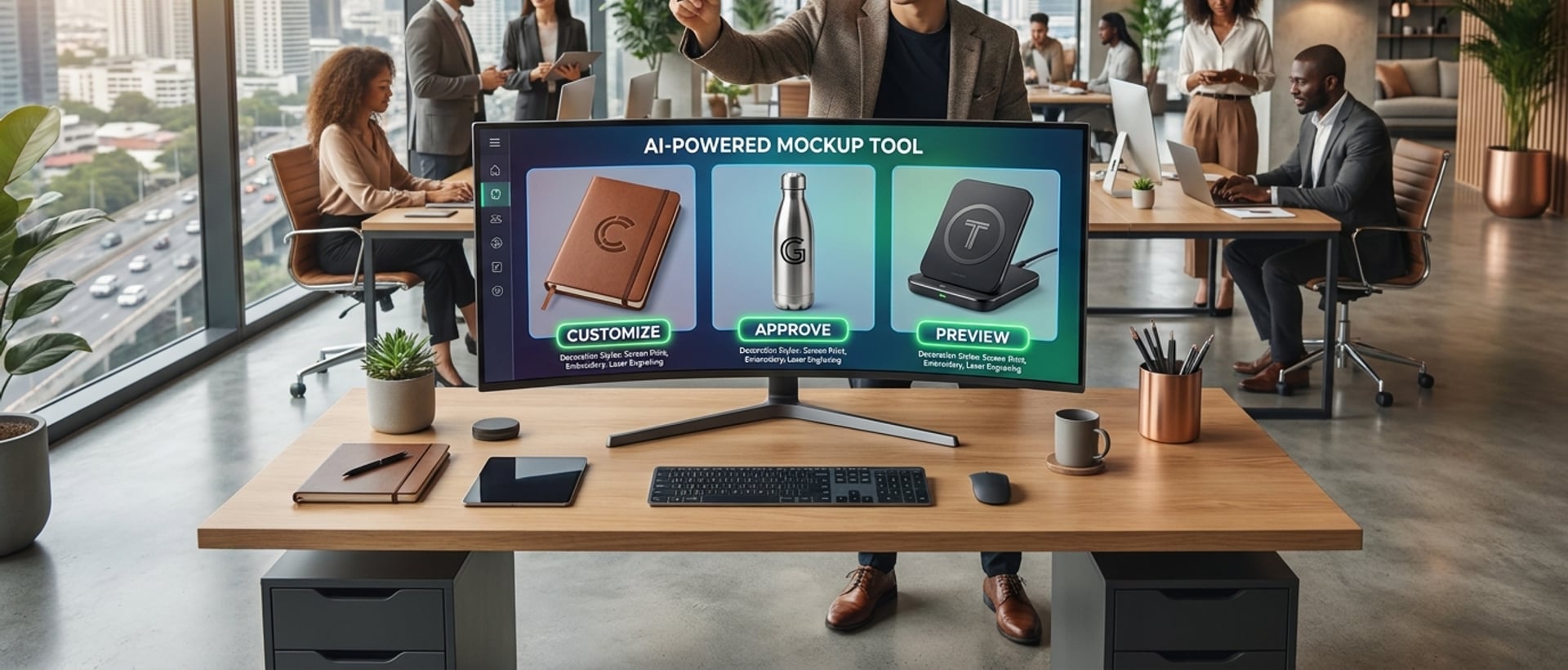
The decoration-variant renderer is where the workflow earns its keep for the buyer conversation. When a corporate buyer sends a logo file for 1,000 branded water bottles, the pipeline places the logo at the correct position, at the correct technique (laser engraving on steel looks different from screen printing on plastic), and returns a proof image within hours. This changes the sales cycle from "we'll get back to you in 2-3 days with a mockup" to "here's the preview while we're on this call."
The lifestyle context generator handles marketing needs - a branded water bottle in a hiking scene, a branded notebook on an office desk. This layer is where generic AI tools work well; the recipe just provides style consistency across the catalog.
Why is the buyer-approval workflow the real bottleneck (not the catalog photography)?
Quick Answer: Corporate gifting sales close on the mockup, not the product photograph. A buyer evaluating 5 vendors makes the decision based on which vendor showed the fastest, most accurate mockup of THEIR branding on the product. Traditional workflow: 2-3 days per mockup, done manually in Photoshop by an in-house design team. Every mockup delay is a lost deal to the vendor whose team responded within hours. This is where a managed AI decoration pipeline creates the actual competitive advantage.
The economics are stark. A gifting company with 30 daily buyer inquiries and a 3-day mockup turnaround is losing conversions to competitors who respond same-day. Even a 24-hour improvement in mockup turnaround typically lifts close rates 15-25 percent, because gifting purchase decisions are usually made within a 5-7 day window and the vendor visible fastest wins disproportionately.
The traditional fix is to hire more designers. This scales linearly - 10 designers can produce 30-50 mockups per day at full utilisation. But hiring designers doesn't change the fundamental workflow, and it burns margin (skilled Photoshop designers in India cost ₹4-8 lakh/year each, and they leave). The managed AI decoration pipeline replaces the linear-labour scaling with a technical one - the same pipeline handles 10 mockups a day or 500, at the same operational cost.
This is what we built for a corporate gifting operation that runs on a large catalog with high buyer-mockup volume. The operational intelligence system underneath handles the order flow, but the imagery layer is what specifically unlocks the sales cycle compression. The same architecture pattern applies to any B2B gifting or promotional products business at scale.
What's the honest cost comparison at 3,000 SKUs?
Quick Answer: Traditional studio for a full 3,000-SKU catalog with decoration variants: ₹15-30 lakh across 4-8 months, plus ongoing ₹3-5 lakh per year for new SKUs and decoration additions. Managed AI catalog: ₹4-8 lakh across 6-10 weeks initial build, plus ₹1-2 lakh per year for ongoing SKU adds and buyer mockup volume. The gap widens over time - the studio route re-billed every catalog refresh, the managed AI route reuses the recipe indefinitely.
The initial cost gap matters less than the ongoing math. Studio-priced work bills per output image. A gifting catalog that adds 50 new SKUs a month at 6 decoration variants each is 300 new images per month - roughly ₹75,000-3 lakh in studio pricing, every month, forever. The managed AI route absorbs this in the ongoing operational fee because the recipe is already locked and additions run against it.
The mockup workflow is where the real cost delta lives. Traditional Photoshop mockups by an in-house team cost roughly ₹200-500 per proof (fully loaded). At 30 daily mockup requests, that's ₹1.8-4.5 lakh per month in design labour. The managed AI decoration pipeline delivers the same output at a fraction of the operational cost, and doesn't degrade when the design team member goes on leave.
The honest positioning is: managed AI catalog for corporate gifting is significantly less than half typical studio+design-team spend for equivalent volume, and the gap grows the more decoration variants and mockup volume you handle. Neither number is a per-image cost we would ever publish - the value is the workflow and the sales-cycle compression, not the raw generation economics.
What does implementation actually look like for a 3,000-SKU catalog?
Quick Answer: Six-to-ten week rollout in four phases. Weeks 1-2: audit the current catalog, identify the top 500 hero SKUs, brief the base photography day. Weeks 2-4: shoot hero photography, lock the brand recipes per product family (drinkware, apparel, tech, stationery). Weeks 4-8: build the decoration-variant renderer with actual logo files from top buyers, validate the mockup quality. Weeks 8-10: cutover - migrate the sales team to the new mockup pipeline, retire the manual Photoshop workflow, ship the new catalog. Total: 6-10 weeks depending on catalog complexity.
Phase 1 is discovery. Not every one of your 3,000 SKUs needs the same treatment. The audit surfaces which product families are hero-worthy, which decoration methods dominate your buyer requests, and which lifestyle contexts your marketing team actually needs. This shapes the recipe brief and prevents over-engineering.
Phase 2 is where the studio work happens. One or two shoot days, focused on the top 500 SKUs, produces the base photography pack. Concurrently, the recipe is documented per product family - lighting direction, background, framing convention, colour rendering rules. This is the layer that makes the catalog feel like ONE brand across the wildly different product types.
Phase 3 is the decoration-variant renderer build. Real logo files from your top 5-10 corporate buyers get loaded into the pipeline. Mockups get generated across your top 100 SKUs. Sales team reviews the output. The pipeline gets tuned until the mockup quality is production-ready. This is where most projects find hidden complexity - certain decoration methods (foil stamping, debossing, UV printing on curved surfaces) need dedicated handling.
Phase 4 is cutover. The sales team stops sending "we'll get back to you" emails and starts sending "here's your mockup" replies during the initial buyer conversation. The catalog on your public site gets the AI-generated variant imagery. The Photoshop team either transitions to higher-value creative work or scales down. This is the operational shift that unlocks the sales-cycle compression the whole project is really about.
What should you do next?
Start with the audit before deciding on any tooling. Pull your last 90 days of buyer mockup requests and categorise them. What percent were embroidery vs print vs engraving? Which product families? What percent asked for a mockup on the initial call vs after a formal RFQ? That data shapes the entire workflow decision.
Then pull your studio and design-team spend for the same 90 days. Split it into base photography, decoration variants, buyer mockups, and marketing lifestyle. That's your current operational cost per month. The managed AI comparison is only meaningful against this baseline number, not against a theoretical alternative.
Then decide the scope. Full catalog automation is a 6-10 week project. Buyer mockup pipeline alone is a 3-4 week project and often the highest-leverage first step because it directly compresses sales cycles. For most gifting operations we work with, the sequence is mockup pipeline first, catalog automation second.
If you want a scoped assessment against your specific catalog, decoration mix, and buyer request volume, book an AI imagery audit - we'll come back with the honest workflow, the phase breakdown, and the estimated managed spend against your current studio + design-team costs. Not a tool pitch. The specific pipeline that fits your gifting business.