Last updated: April 9, 2026 | 10-min read | Category: AI Operations & Automation
The Dirty Secret Nobody Talks About in AI Deployments
You've invested in AI agents. You've set up Claude or GPT for your team. You've maybe even built a voice agent or an executive assistant bot for your business operations.
And yet - every single Monday morning, your AI agent wakes up with complete amnesia.
It doesn't remember the client onboarding call from last Thursday. It doesn't know about the pivot you made in Q1. It has no idea your top sales rep just left, or that you changed your pricing model, or that your biggest enterprise client has a very specific integration requirement that took three calls to nail down.
You re-explain all of this. Every. Single. Time.
This is not a minor inconvenience. This is a structural tax on every AI-powered team operating in 2026. And it's quietly eating your productivity, your token budget, and your agents' ability to make intelligent decisions.
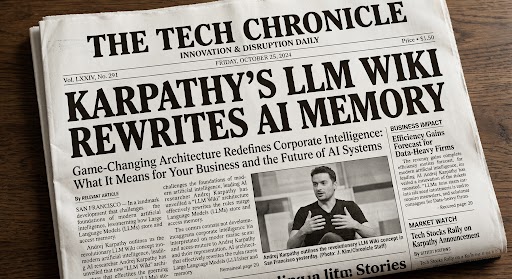
Andrej Karpathy - one of the original architects of modern AI, co-founder of OpenAI, and former AI Director at Tesla - just posted the most practical solution to this problem we've seen yet.
Who Is Andrej Karpathy and Why Should You Care?
Before we get into the how, let's be clear about the who. Karpathy is not a content creator selling a course. He is one of the most respected technical minds in the history of deep learning. His work on neural networks at Stanford, his research at OpenAI, and his leadership of Tesla's Autopilot AI team have directly shaped the AI tools you use today.
When Karpathy posts something on X and calls it useful, the AI community pays attention. This particular post went viral within days - not because it was flashy, but because it was so obviously right that thousands of builders immediately recognized it.
The Core Idea: Your LLM Doesn't Need a Database. It Needs a Wiki.
Here is the entire concept in one paragraph:
Take a folder. Create two subfolders: raw and wiki. Drop your documents - articles, PDFs, meeting transcripts, SOPs, call recordings - into raw. Open Claude Code and tell it to ingest those files. Claude Code reads them and builds structured markdown wiki pages in the wiki folder, with an index, a log, and backlinks between every related concept, person, organization, and idea. Your AI agents now read from this wiki instead of receiving massive unstructured context dumps every session.
That's it. No vector database. No embedding model. No chunking pipeline. No ongoing compute infrastructure. Just a folder of markdown files that your LLM actively maintains and navigates.
Karpathy describes it as giving the LLM "well-organized markdown files" and letting it find information by reading indexes and following links - the same way a human navigates Wikipedia - rather than using brute-force similarity search on disconnected chunks.
What Does the Architecture Actually Look Like?
Let's make this concrete. Here is the folder structure you're working with:
your-brain/
├── raw/                    ← Everything you feed in goes here
├── wiki/
│   ├── concepts/           ← Frameworks, ideas, strategies
│   ├── people/             ← Team members, clients, contacts
│   ├── organizations/      ← Companies, partners, competitors
│   ├── techniques/         ← Workflows, methods, SOPs
│   ├── sources/            ← Original references
│   └── analysis/           ← LLM-synthesized insights
├── index.md                ← The master table of contents
├── log.md                  ← Every ingest operation, timestamped
├── hot.md                  ← 500-char rolling cache of recent context
└── CLAUDE.md               ← The operating instructions for your agent
The CLAUDE.md file is the brain stem of the entire system. It tells Claude Code what this vault is for, how to navigate it, and how to handle conflicts. The hot.md file is an elegant optimization: instead of crawling the entire wiki every session, an agent can check this 500-character rolling summary of the most recent context first.
A Live Demo: From 36 Raw Transcripts to a Knowledge Graph in 14 Minutes
Nate Herk demonstrated the full setup live in Nate Herk's full video. He fed Claude Code all 36 of his most recent YouTube video transcripts in a single batch. In approximately 14 minutes, Claude Code:
- Auto-created wiki pages for every tool mentioned (Perplexity, VS Code, Nano Banana...)
- Created pages for every technique (WAT Framework, human review checkpoint...)
- Built backlinks between every video and every concept
- Produced a visual knowledge graph in Obsidian
The Token Efficiency Numbers Are Hard to Ignore
Case study from X: One user consolidated 383 scattered files and over 100 meeting transcripts into a compact LLM wiki. Their token usage for Claude queries dropped by approximately 95%. This is a structural change in unit economics for businesses running AI agents at scale.
Linting: The Maintenance Layer That Keeps It Smart
Karpathy specifically mentions running "linting" over the wiki periodically. This identifies missing data, flagging ambiguous entries, and finding new connection opportunities. It keeps the knowledge graph accurate and internally consistent.
Does This Replace RAG (Retrieval-Augmented Generation)?
It depends on scale. Here's a comparison:
| Feature | LLM Wiki (Karpathy) | Semantic Search RAG |
|---|---|---|
| Retrieval | Reads indexes, backlinks | Embedding similarity |
| Infrastructure | Markdown files only | Vector DB + Pipeline |
| Relationship depth | Deep linked nodes | Shallow chunks |
| Best scale | Hundreds of pages | Millions of docs |
How Inovabeing Is Applying This Right Now
At Inovabeing, we apply this pattern to solve client amnesia:
- 1. Client Onboarding Brain: One vault per client fed with transcripts and onboarding automation.
- 2. Voice Agent Context Layer: Persistent product knowledge for our AI voice agents.
- 3. Executive Assistant Agent: Persistent memory for our executive assistant agent.
- 4. Sales Intelligence Vault: competitor analysis and objection handling for outreach agents.
How to Set This Up Yourself - Step by Step
Step 1: Download Obsidian. Step 2: Create a New Vault. Step 3: Open Claude Code. Step 4: Paste Karpathy's LLM Wiki gist. Step 5: Install the Obsidian Web Clipper. Step 6: Drop Your First Document into raw/. Step 7: Watch the Wiki Build. Step 8: Schedule Weekly Linting.
The Bigger Picture: This Is How AI Products Will Be Built in 2026
The point is to give you a mental model: LLMs are better knowledge navigators than we've been giving them credit for. No $50,000 RAG infrastructure contracts. Just a folder. With markdown files. That compounds in value every time you add something to it.
Start today. If you want to explore how a persistent knowledge layer could work for your business, reach out to us directly.
Frequently Asked Questions
What is Andrej Karpathy's LLM Wiki?
It's a personal knowledge base architecture where an LLM like Claude Code reads, writes, and maintains a folder of structured markdown files, giving AI agents a navigable knowledge graph without a vector database.
How does it differ from RAG?
RAG uses embedding similarity; the LLM Wiki uses human-readable markdown with indexes and backlinks. The Wiki is relationship-aware and cheaper, while RAG is better for enterprise-scale document counts.
Does it reduce token usage?
Yes. By converting scattered context into a compact wiki, agents read only the identified relevant pages (surgical) instead of massive raw context (carpet-bomb).
Can it be used for voice agents?
Yes. Voice agents can query a product knowledge vault on demand, ensuring they always have current info without re-writing system prompts.
What is the 'hot.md' file?
The hot.md file is a rolling cache of ~500 characters representing the most recent context, allowing agents to check recent updates without a full wiki crawl.